Call from the panel
Click a revealed number in the panel and choose Call. The call runs in your browser over the internet: your headset or laptop microphone is the phone.
Click a revealed number, press Call and talk through your headset. The script stays on screen, the outcome is one press, and the callback comes back when it is due.
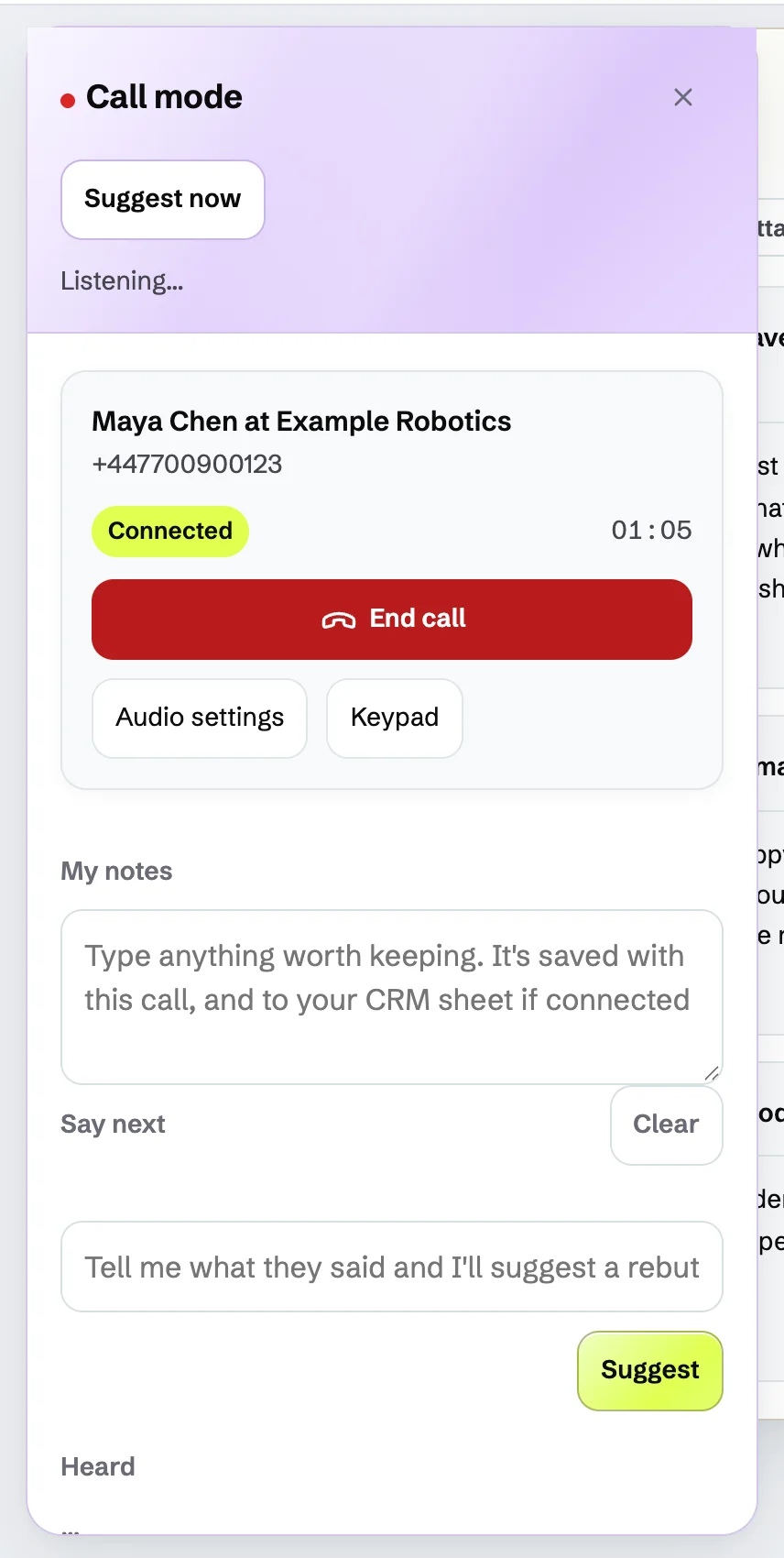
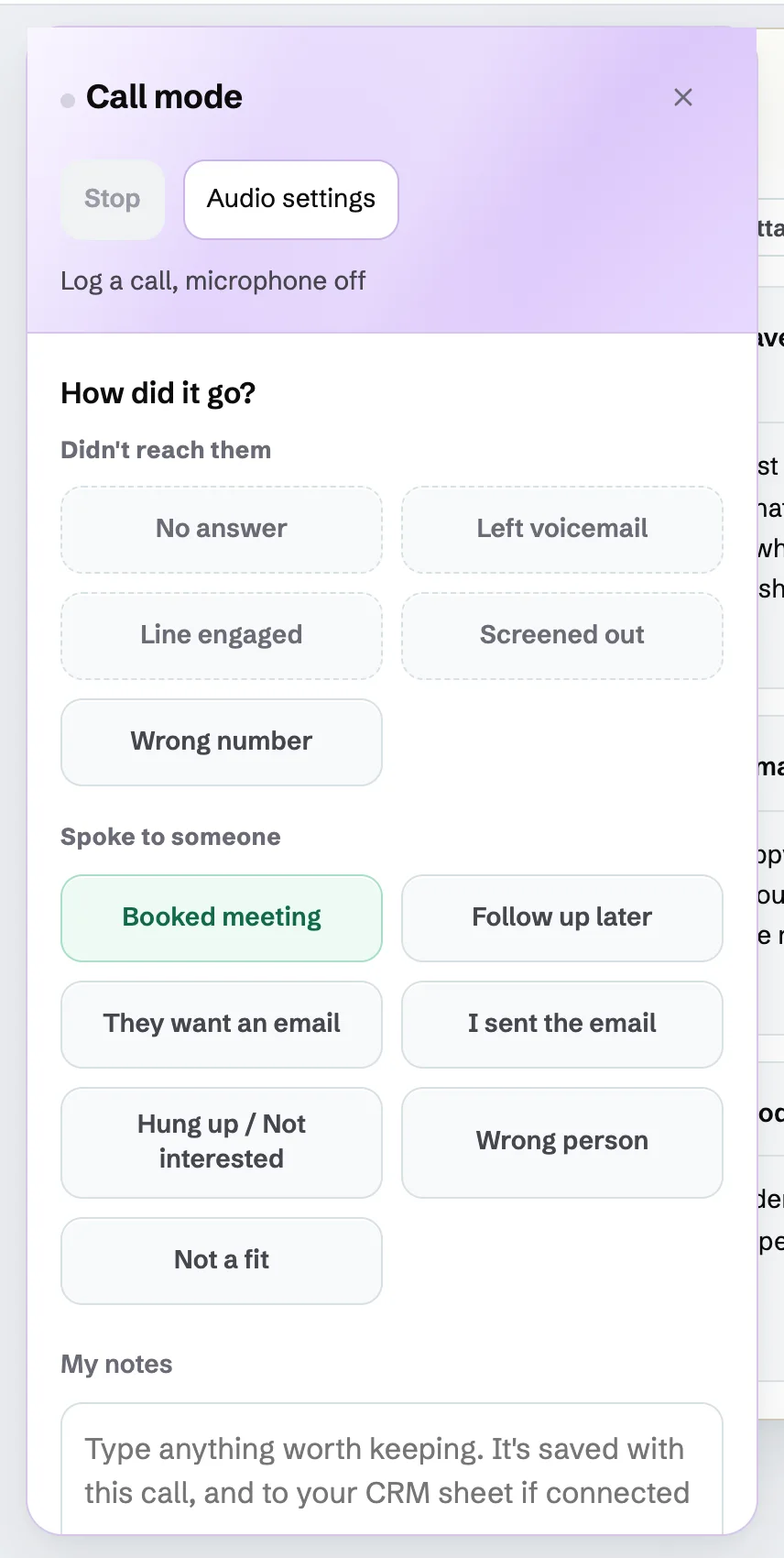

Real PitchWhip screens. The people, companies, numbers and emails in them are invented.
Click a revealed number in the panel and choose Call. The call runs in your browser over the internet: your headset or laptop microphone is the phone.
Open More in the panel, choose Dial a number, pick the country and press Call. No reveal is needed; the call uses your minutes.
When the call ends, How did it go? asks for the outcome: no answer, voicemail, booked meeting, follow up later and more. The call is saved to your history.
Pick Follow up later, choose when, add a line on why, and the callback returns in Who's next when it is due.
Once your account has monthly minutes, each active team member can choose one available PitchWhip number at no extra rental charge.
Recording is off until your account admin turns it on. The admin chooses automatic or manual recording and how long recordings are kept: 90 days by default.
Calling is not a replacement phone. PitchWhip calls run over the internet. If your power or internet fails, or your browser is closed, you cannot call 999 or 112 from PitchWhip, so keep another phone to hand. 999 calls work only from a PitchWhip number with a registered address, and the control room sees that address, so update it in Settings when you work somewhere else.
Your account admin accepts the calling notice once in Settings, Calling, and chooses whether calls are recorded.
Choose monthly minutes in Dashboard, Billing.
Pick a PitchWhip number for your seat in Settings, Phone numbers, or use a caller ID you have verified.
Free to install in desktop Chrome. Free scripts with a work email.