Know who to call,
and what to say.
PitchWhip sits beside the LinkedIn profile you have open. It gives you the brief, the script, the direct dial and the next person to call, so your time goes on conversations.
Start your 14-day free trial. Everything included, no card.
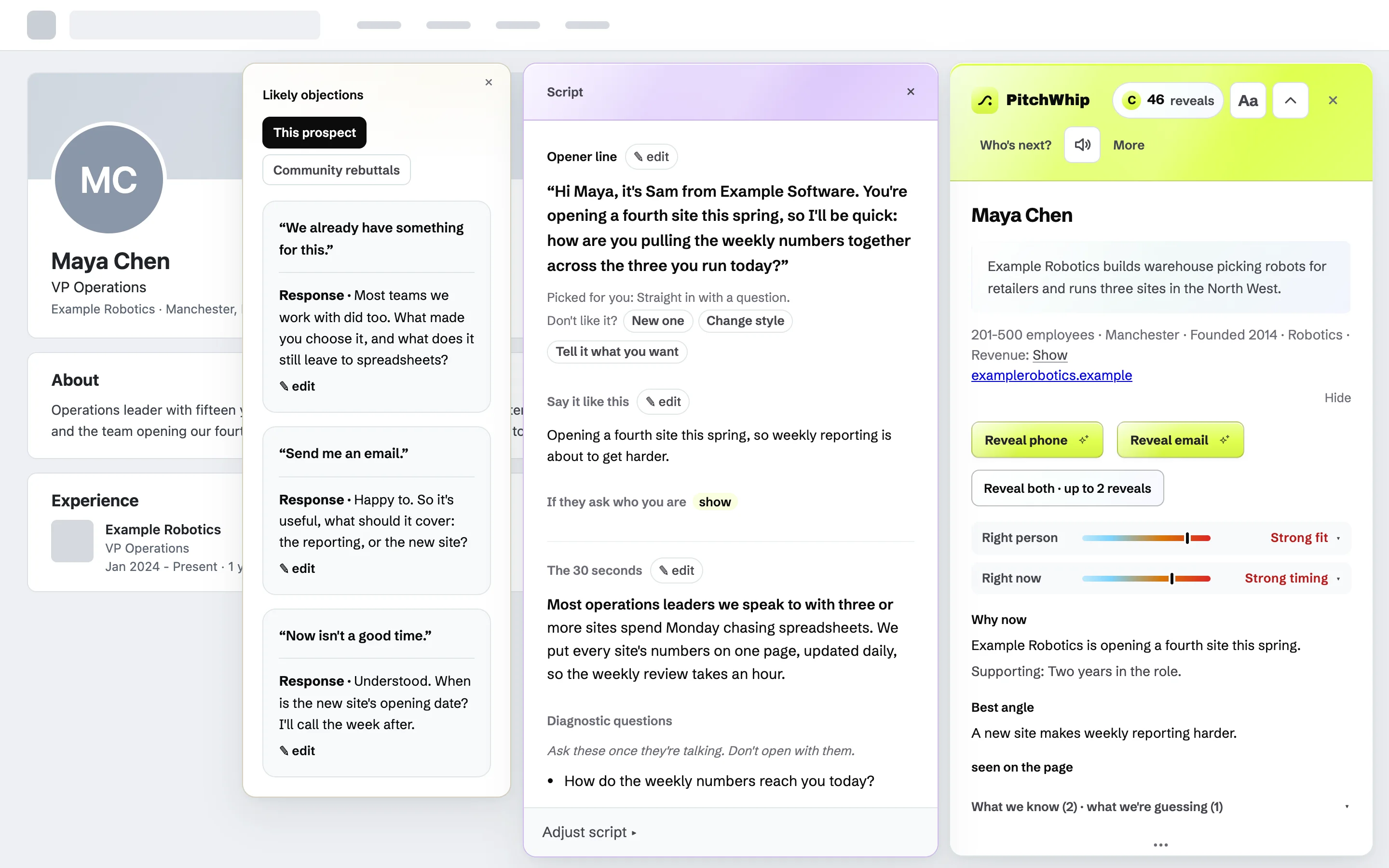
Most of a rep's day is not selling.
It goes on research, hunting for a number that connects, and remembering who was owed a call. PitchWhip takes each of those off your desk.
Research before every call
Reading the profile, the company and the news comes before every dial. PitchWhip writes the brief, the fit check and the reasons to call while the profile is open.
Numbers that do not connect
A switchboard or a dead line ends the call before it starts. Direct dials and work emails are searched on demand, and a lookup that finds nothing uses no reveals.
Follow-ups that slip
A callback kept in your head is a callback missed. Callbacks, sequence steps and tasks come back in Who's next on the day they are due.
See a call come together.
From an open profile to a logged call.
Step 1: Open a LinkedIn profile
The panel opens beside it with a brief, a fit check, reasons to call, an opener and likely objections. Review the wording before you use it.
Step 2: Reveal the number or email
Reveal a direct dial or a work email from the profile, or in bulk from a list. Each one found uses a reveal. Nothing found, nothing used.
Step 3: Call and log it
Call on your own phone, or from your browser with the Calling add-on. Log the outcome in one press and pick when to follow up.
Step 4: Let Who's next line up the rest
Your callbacks, your sequence steps and up to 10 new people a day, each with a quoted source for their role.
What you actually get.
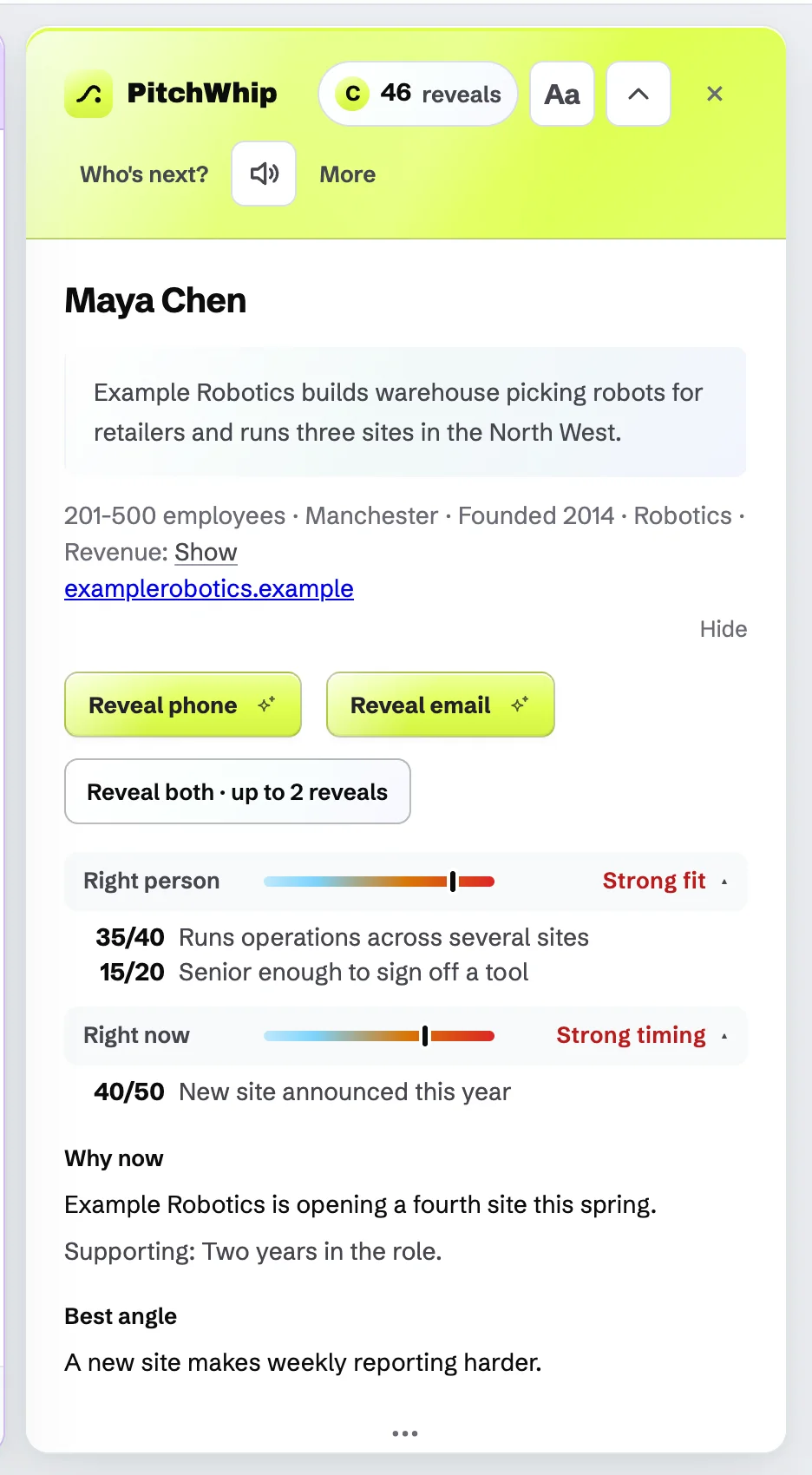
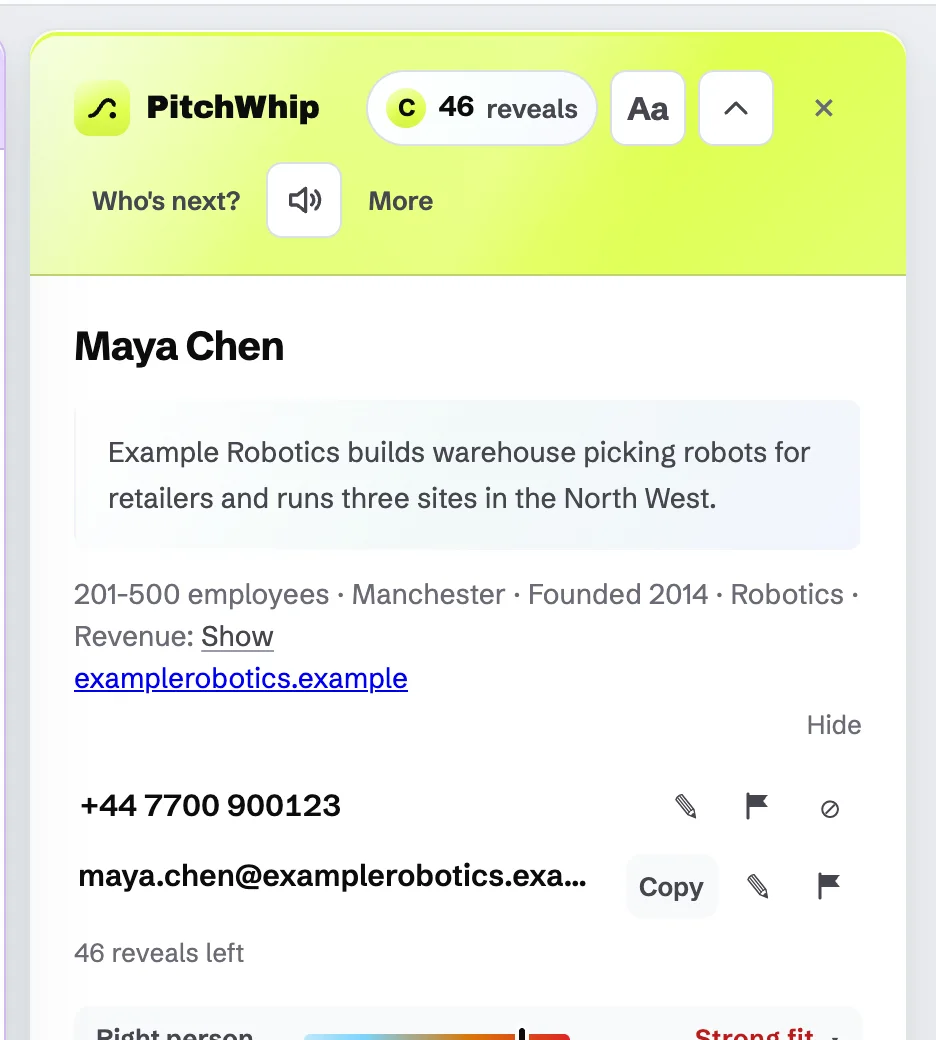
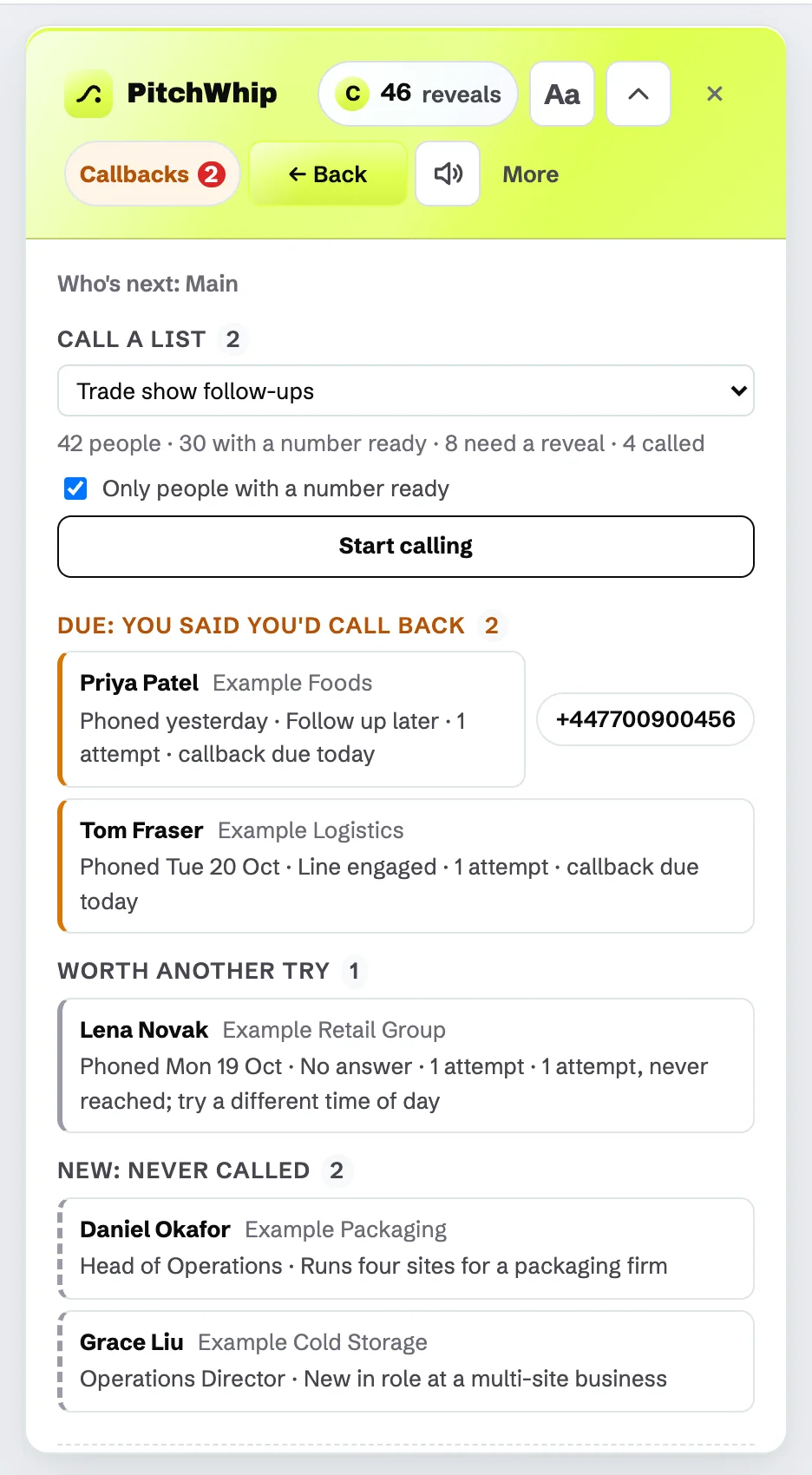


Real PitchWhip screens. The people, companies, numbers and emails in them are invented.
What every licence includes.
A brief and a script for each person
A brief, fit assessment, evidence, reasons to call, an opener and likely objections beside the LinkedIn profile. Review the facts and suggested wording before use.
Direct dials and work emails
Searched on demand across a network of 20+ data providers, from the profile or in bulk from a list. Coverage varies by person.
A reveal back for a bad number
If a number you reveal in PitchWhip is dead or belongs to someone else, report it within 30 days of the reveal. Once our team confirms it, you get the reveal back.
New people to call each day
Who's next finds up to 10 new people a day on a paid seat, each with a quoted source for their role.
Sequences and follow-ups
Timed email, call and LinkedIn steps, callback queues and tasks, so nobody you spoke to is forgotten.
Call history and analytics
Every call with its outcome and notes, and the numbers for the last 30 days: calls, connects and what happened next.
Your CRM kept up to date
HubSpot, Salesforce and Google Sheets sync come with a paid plan.
Lists you can work down
Save people to lists, import a spreadsheet, and call down a list one person at a time.
Is PitchWhip right for your team?
It is for you if
- You prospect on LinkedIn and sell by phone or email.
- You are an SDR, an account executive, a founder or a small sales team.
- You want the preparation, the number and the follow-up in one place.
- You want to pay per person, with no seat minimum and no annual contract required.
It is not for you if
- You want a tool that sends LinkedIn messages for you. PitchWhip never presses Send on LinkedIn: you review the wording and send it yourself.
- You do not use desktop Chrome. The panel beside a profile runs there.
- You need a promise that every person has a number. Coverage varies by person, which is why a lookup that finds nothing uses no reveals.
What it will not do
PitchWhip does not make the call for you or promise a meeting. It writes a suggested brief and script from what is public about the person and the company, so read both before you use them. You decide who to contact, and you are responsible for following the calling and email rules where your prospect is.
What it costs
14-day free trial, then free forever
With a work email. No card needed.
Pro: $49 per user per month
50 reveals a seat each month (one per phone number or email found), pooled across the account and reset monthly. No seat minimum.
Calling is optional
Call from your browser with monthly minutes, from $15 a month for 100 minutes. Or keep using your own phone.
Questions sales teams ask
What does PitchWhip give me before a call?
A brief, fit assessment, evidence, reasons to call, an opener and likely objections beside the LinkedIn profile. Review the facts and suggested wording before use.
Where do the phone numbers and emails come from?
They are searched on demand across a network of 20+ data providers. Coverage varies by person, and a lookup that finds nothing uses no reveals.
What happens if a number is wrong?
If a number you reveal in PitchWhip is dead or belongs to someone else, report it within 30 days of the reveal. Once our team confirms it, you get the reveal back.
How many reveals do I get?
50 reveals a seat each month (one per phone number or email found), pooled across the account and reset monthly. Preparation, logging and sequences do not use reveals. Calling uses separately purchased minutes; account access and usage limits apply.
Can I call from PitchWhip?
Eligible paid accounts can call through the extension or dashboard after setup, using separately purchased minutes. Outbound calling reaches 38 countries, and US and Canada calling is open to every calling account. Dashboard handoff requires extension 13.5 or later and confirmation in the extension.
Does it send LinkedIn messages or emails for me?
On LinkedIn, no. You review the suggested wording and press Send on LinkedIn. The extension can open the message controls and fill the message, note or InMail when you ask. For email: sequences send from your connected mailbox or a verified campaign domain, within sending limits and unsubscribe checks.
Does it work with my CRM?
HubSpot, Salesforce and Google Sheets sync come with a paid plan.
How does it work for a team?
One licence per person, with no seat minimum. Reveals are pooled across the account. The Teams page covers working with a manager.
Can I try it before I pay?
Yes. A new account starts a 14-day free trial with a work email and no card. It includes call scripts, prospect research, sequences and 10 reveals. Calling, exports and CRM sync come with a paid plan.
Is there a contract?
Monthly or annual billing. Cancel renewal from the dashboard; the paid term continues to its end.
Try it on the next profile you open.
Create your account, add the extension to Chrome and open a LinkedIn profile. The brief and the script are there before you dial.