Who's next and finding new people
Your callbacks and follow-ups in one queue, plus a daily search for new people in the country or region you choose.
Step 1: Open Who's next
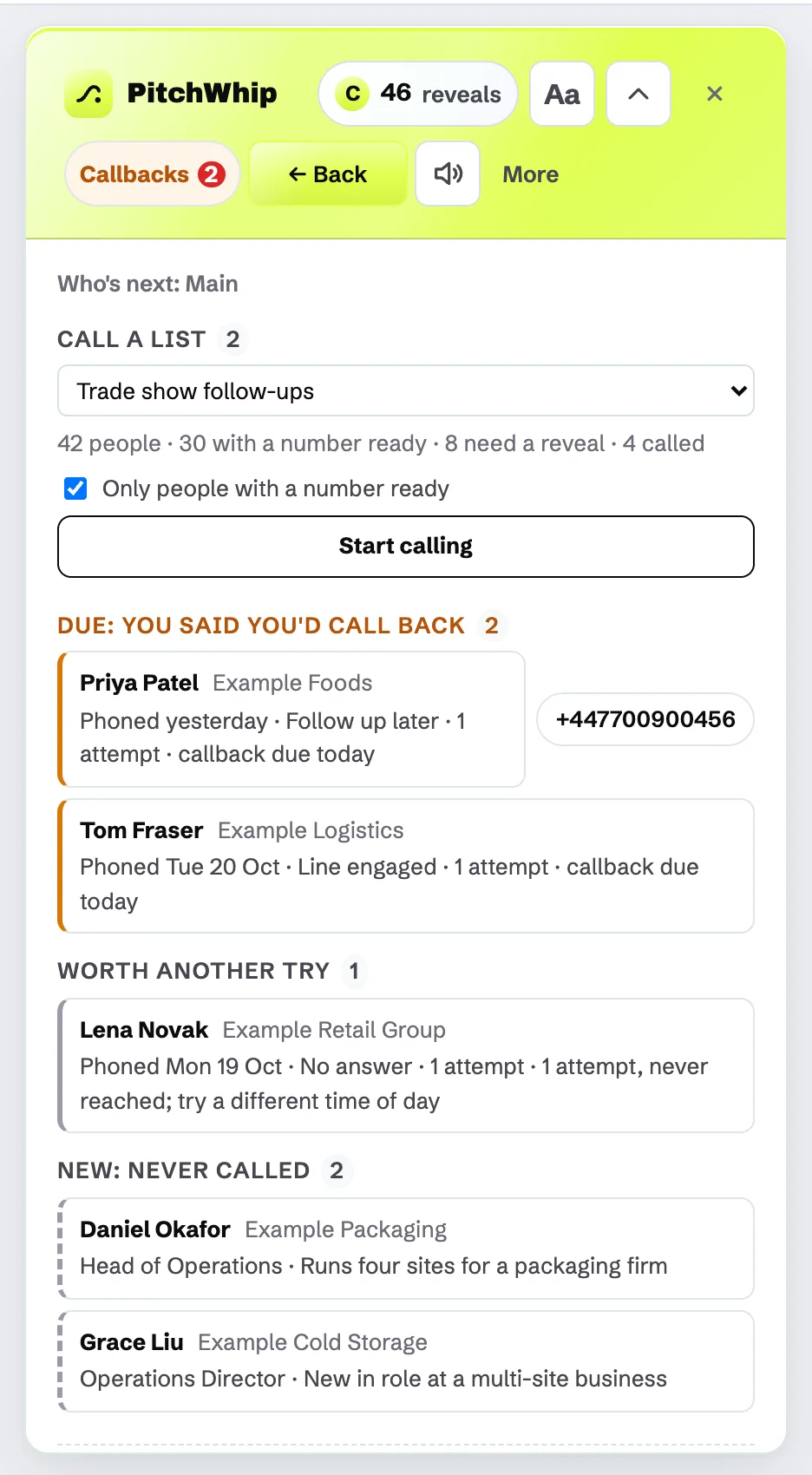
Press Who's next? in the panel header. It lists, in order: Due: you said you'd call back, people Worth another try, and New: never called. Each row says why they are there.
Click a name to open their profile with the brief building, or click a number to call it.
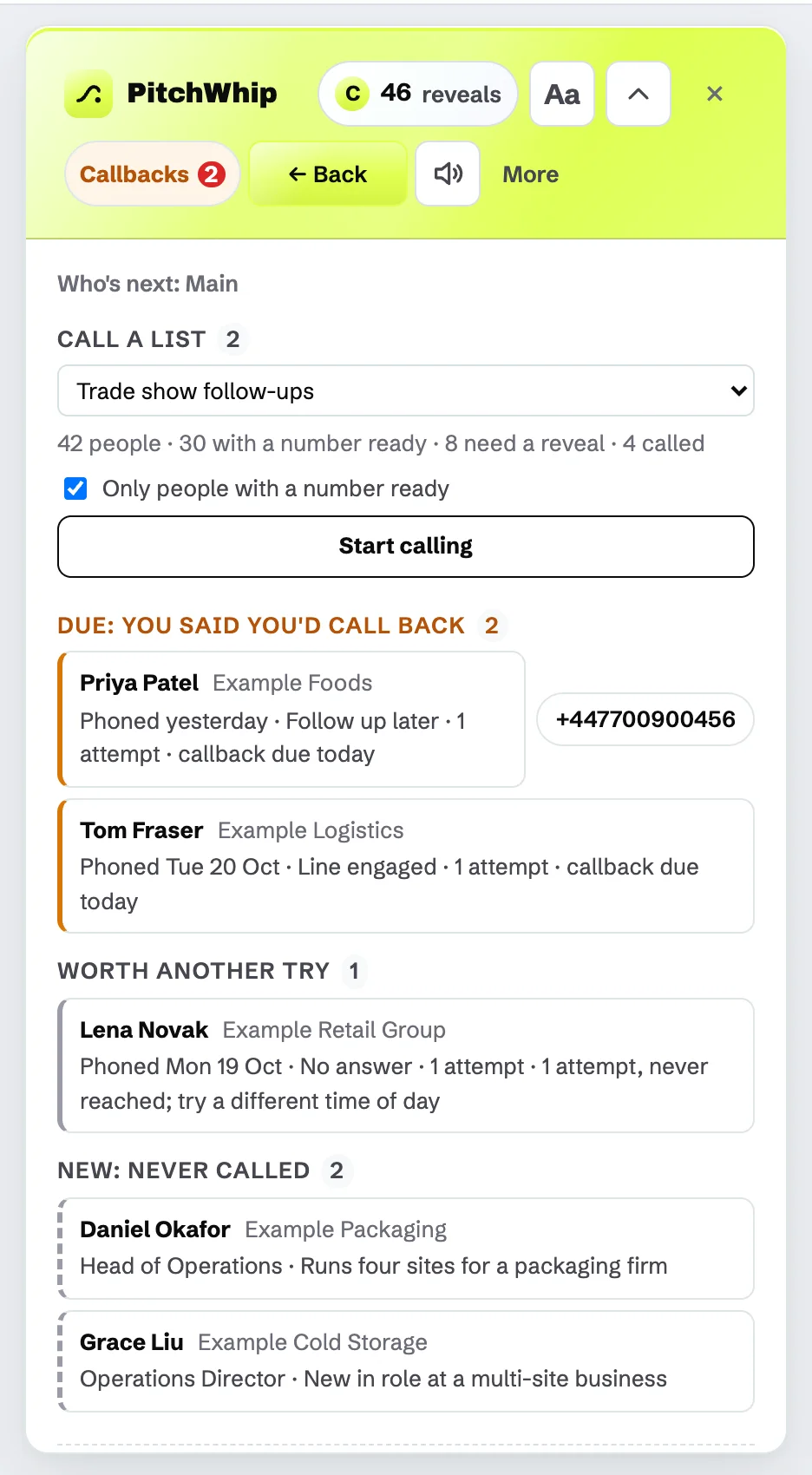
Who's next: Call a list at the top, then callbacks due, worth another try and new people. Click the picture to see it full size. Step 2: Keep your callbacks
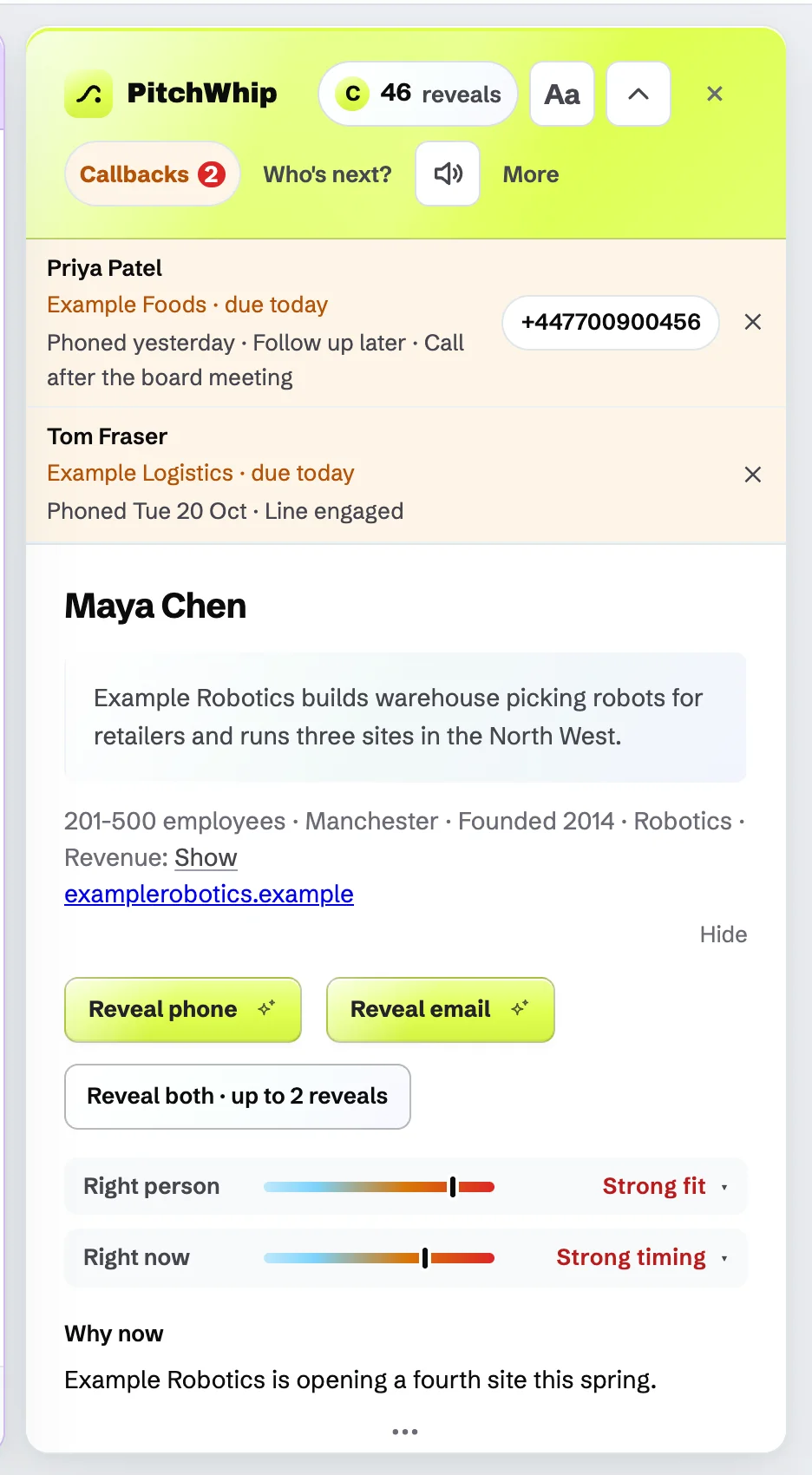
When a callback is due, the header shows Callbacks with a count. Click it to see who you promised to call and the note you left.
The ✕ beside a callback dismisses the reminder. The call record keeps the date.
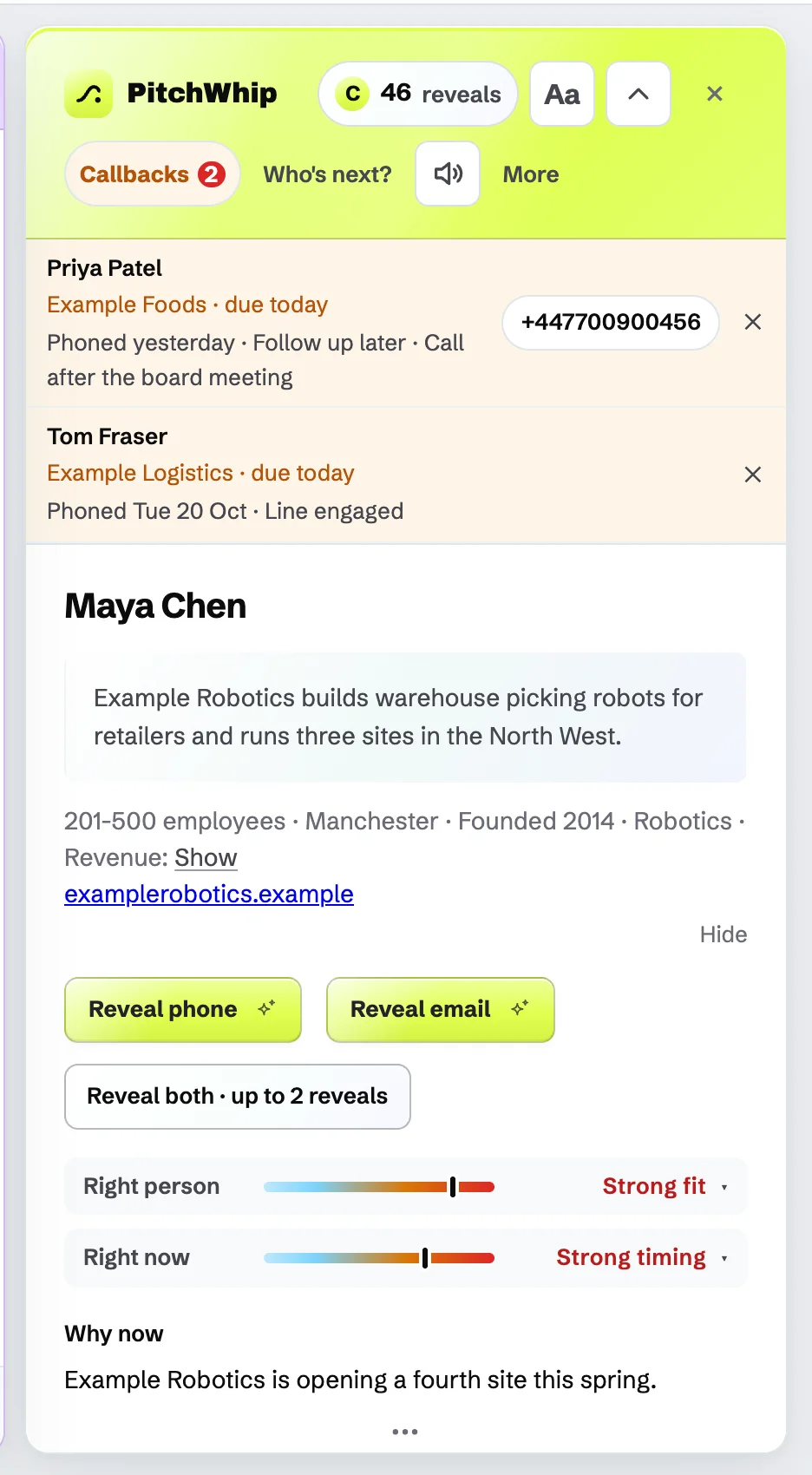
Callbacks due today, with the note from the last call. Click the picture to see it full size. Step 3: Find new people once a day
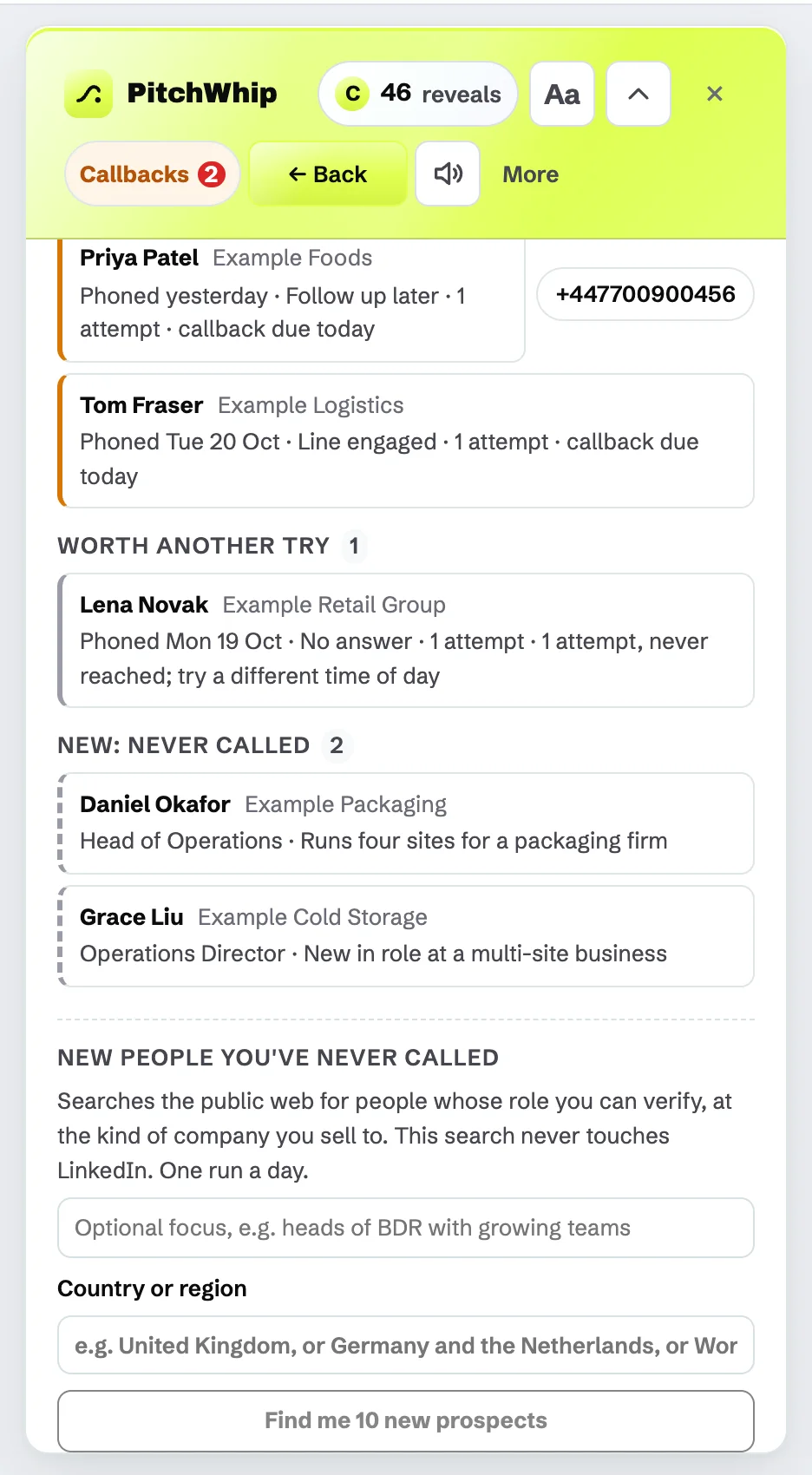
At the bottom of Who's next, New people you've never called searches the public web for people whose role it can verify, at the kind of company you sell to. It never searches LinkedIn. You get one run a day.
Type an Optional focus (for example "heads of operations at growing firms") and a Country or region (one or several countries, or worldwide), then press Find me 10 new prospects. Stay on the tab while it runs; it takes a few minutes.
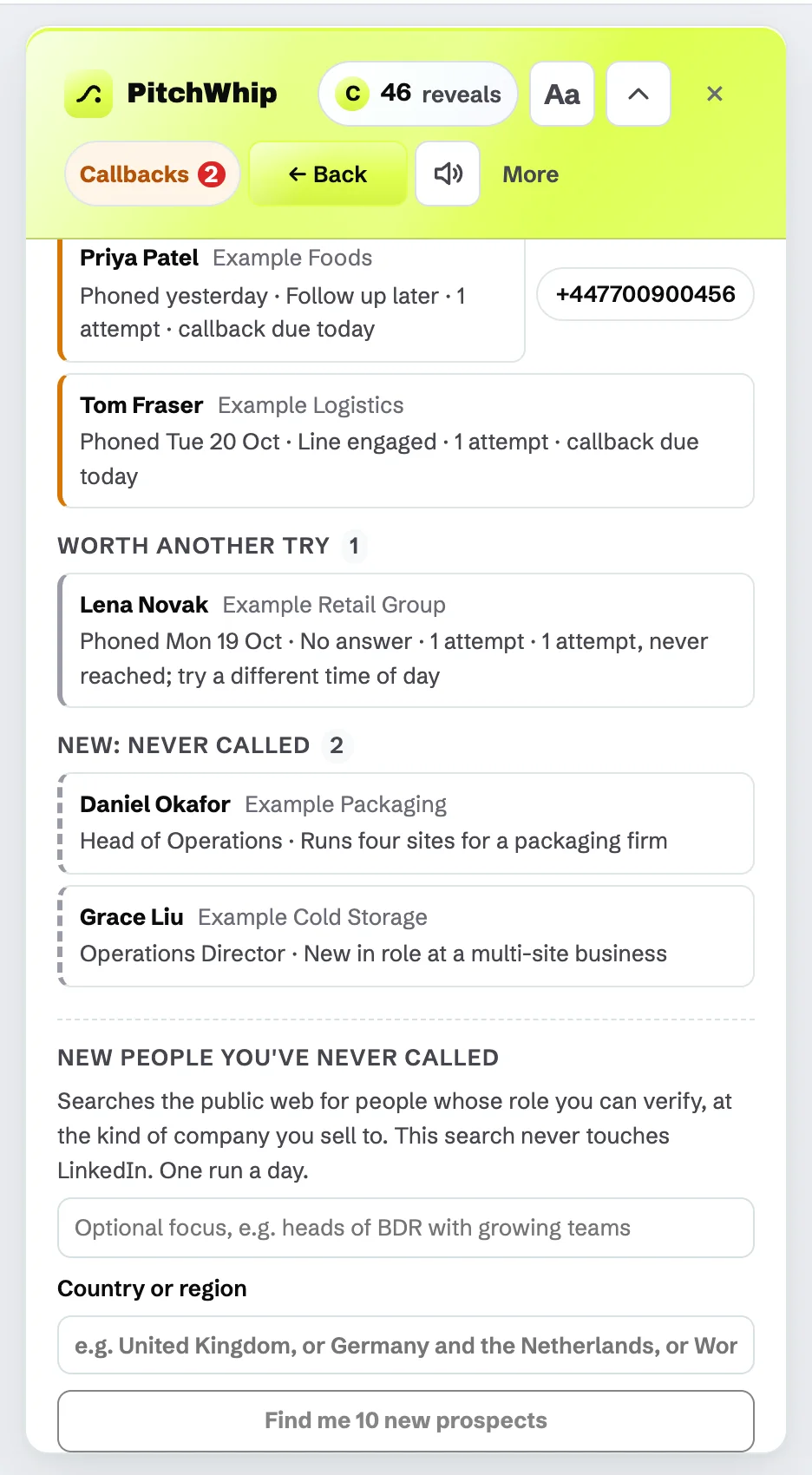
New people you've never called: Optional focus, Country or region and Find me 10 new prospects. Click the picture to see it full size. Step 4: Set your usual country or region
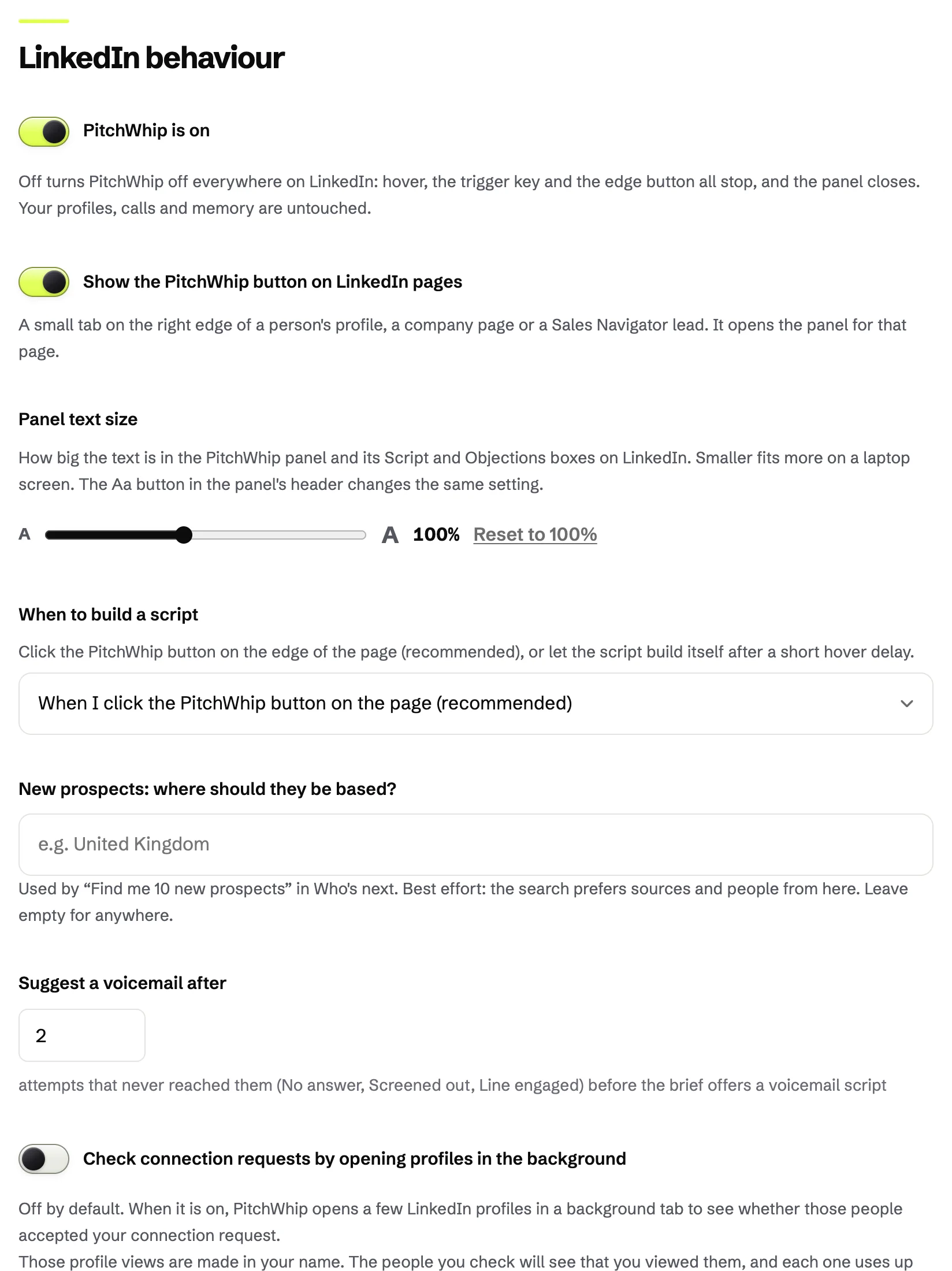
In Settings, under LinkedIn behaviour, New prospects: where should they be based? sets where the daily search looks by default. Leave it empty for anywhere.
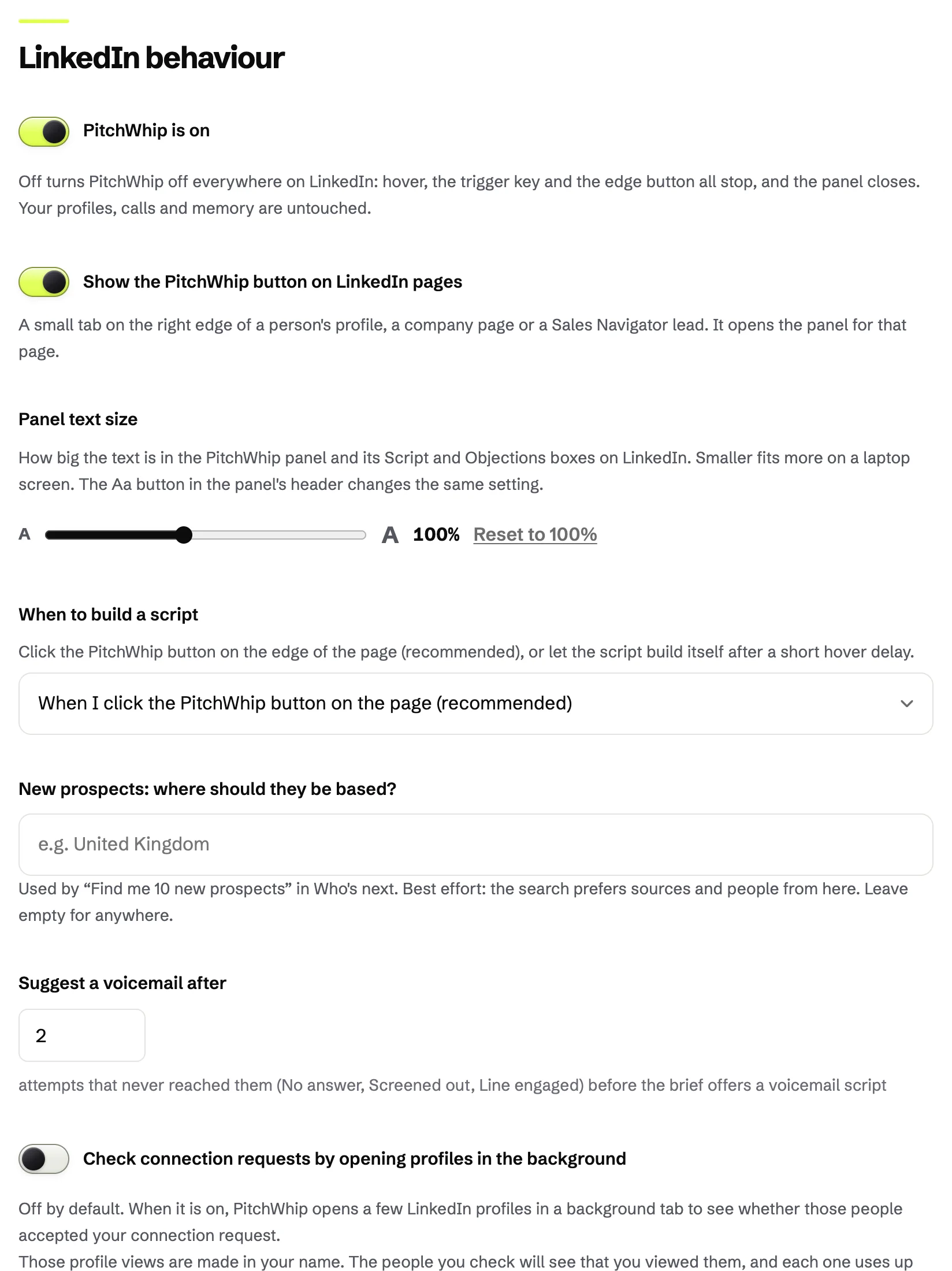
Settings, LinkedIn behaviour, with New prospects: where should they be based? Click the picture to see it full size.
Common problems
- Who's next is empty.
- It fills as you log calls and set callbacks. Call a list or run the daily search to start.
- The search found fewer than 10 people.
- It only adds people it can show are in that role, with the source. Widen the country or region, or loosen the focus.
- The search stopped halfway.
- It runs in the tab, so it stops if the tab closes. The button comes back as Resume today's search and carries on without using a second run.
Still stuck? The full guide covers every setting, or write to hello@pitchwhip.com and a person replies within a working day.