Set up your pitch profile
Tell PitchWhip who you are, what you sell and who buys it. Plain English is fine.
Step 1: Add your name and company
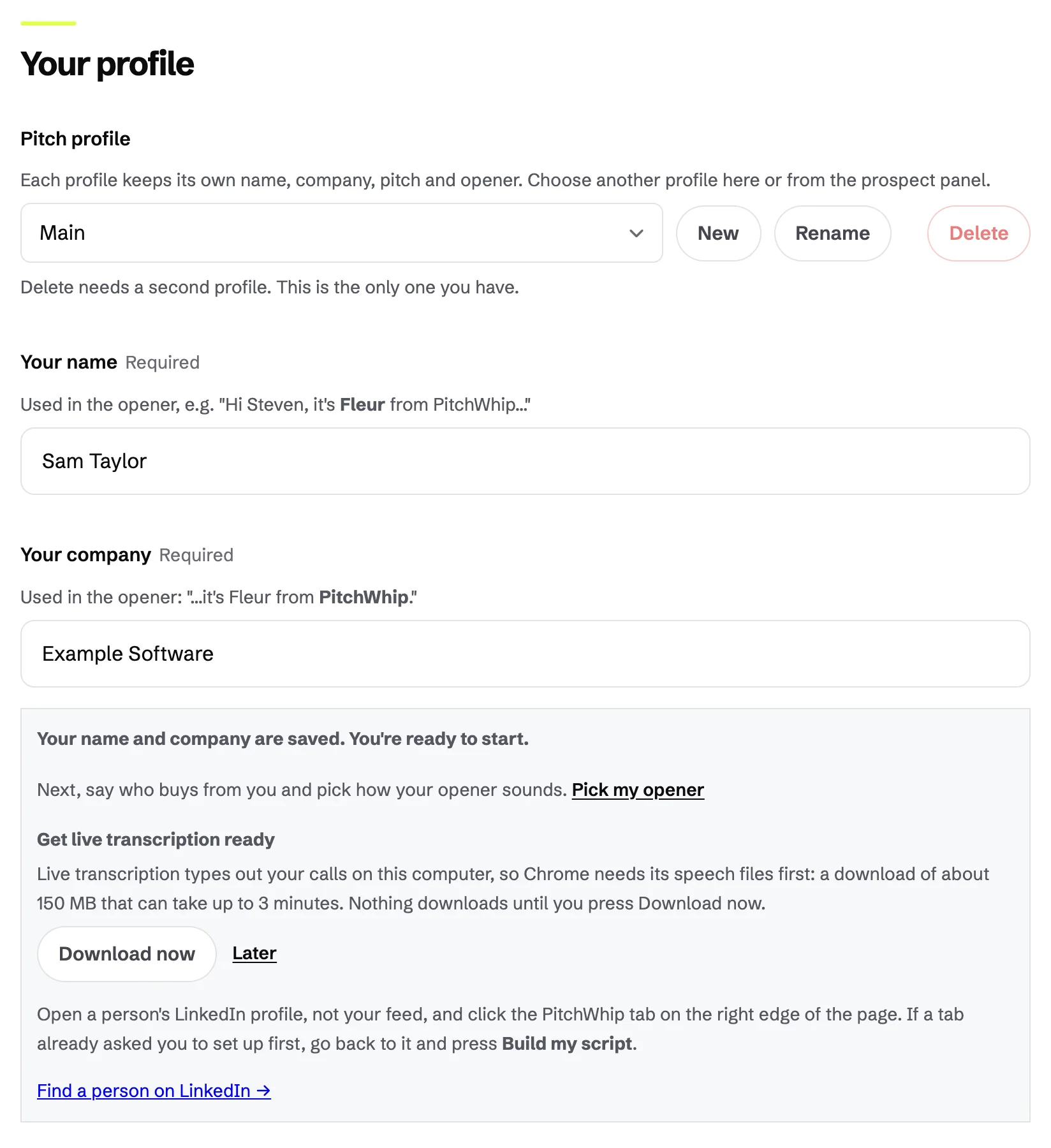
In Settings, under Your profile, fill in Your name and Your company. Every opener says who is calling, so PitchWhip will not write a script until both are filled in.
Everything in Settings saves as you type. There is no Save button.
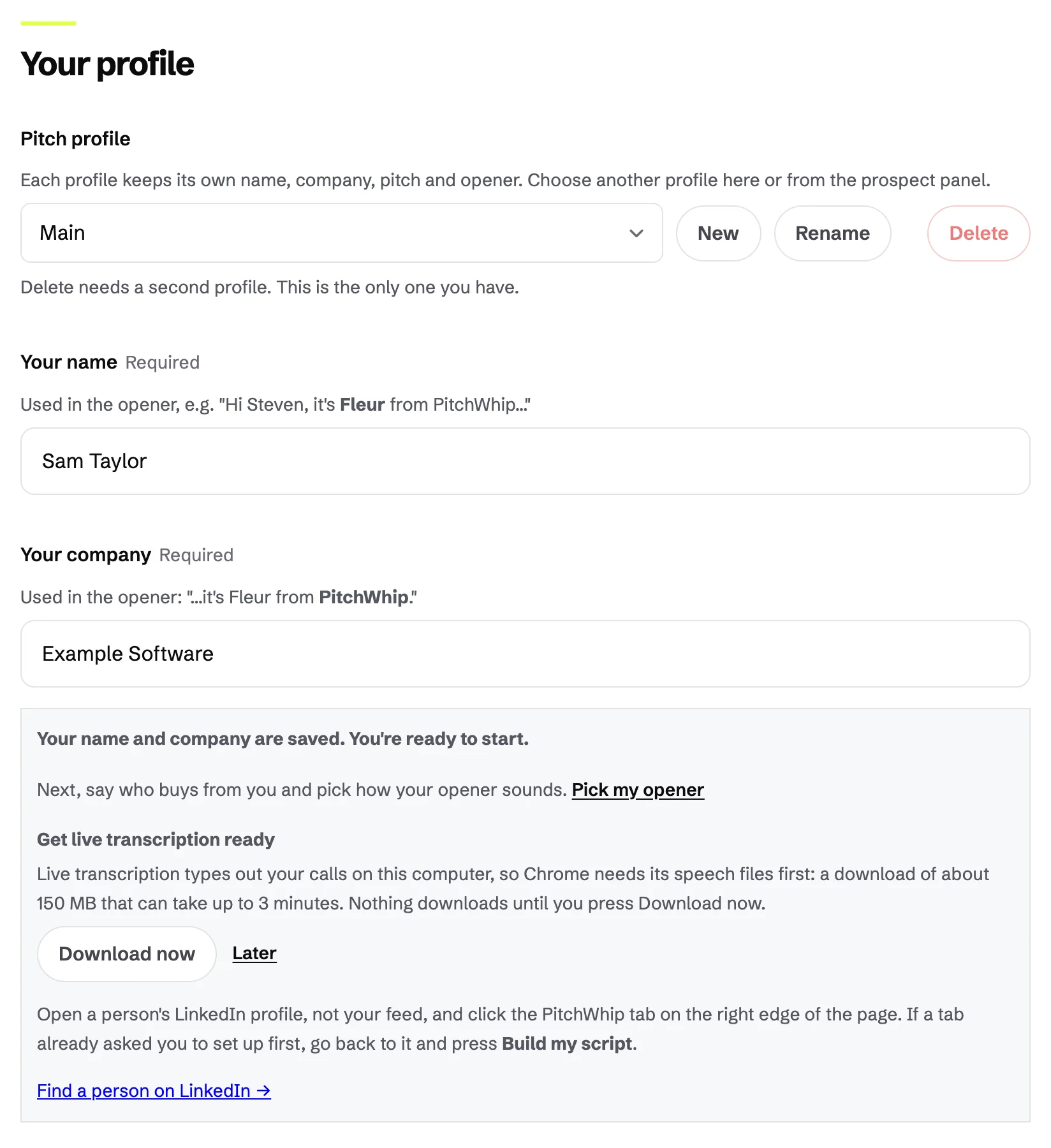
Your profile: Your name and Your company, saved automatically. Click the picture to see it full size. What you should see: A note saying your name and company are saved and you are ready to start.
Step 2: Describe what you sell
Under Pitch & scripts, write in Your pitch context what you sell, who it is for and the problems it solves. Two honest sentences are enough. Write it the way you would say it to a friend: the AI reads plain English.
Stuck? Describe it in a line under Not sure what to write? Describe it in a line and press Generate pitch context, then edit the draft. Check any client names, numbers or claims before you rely on them.
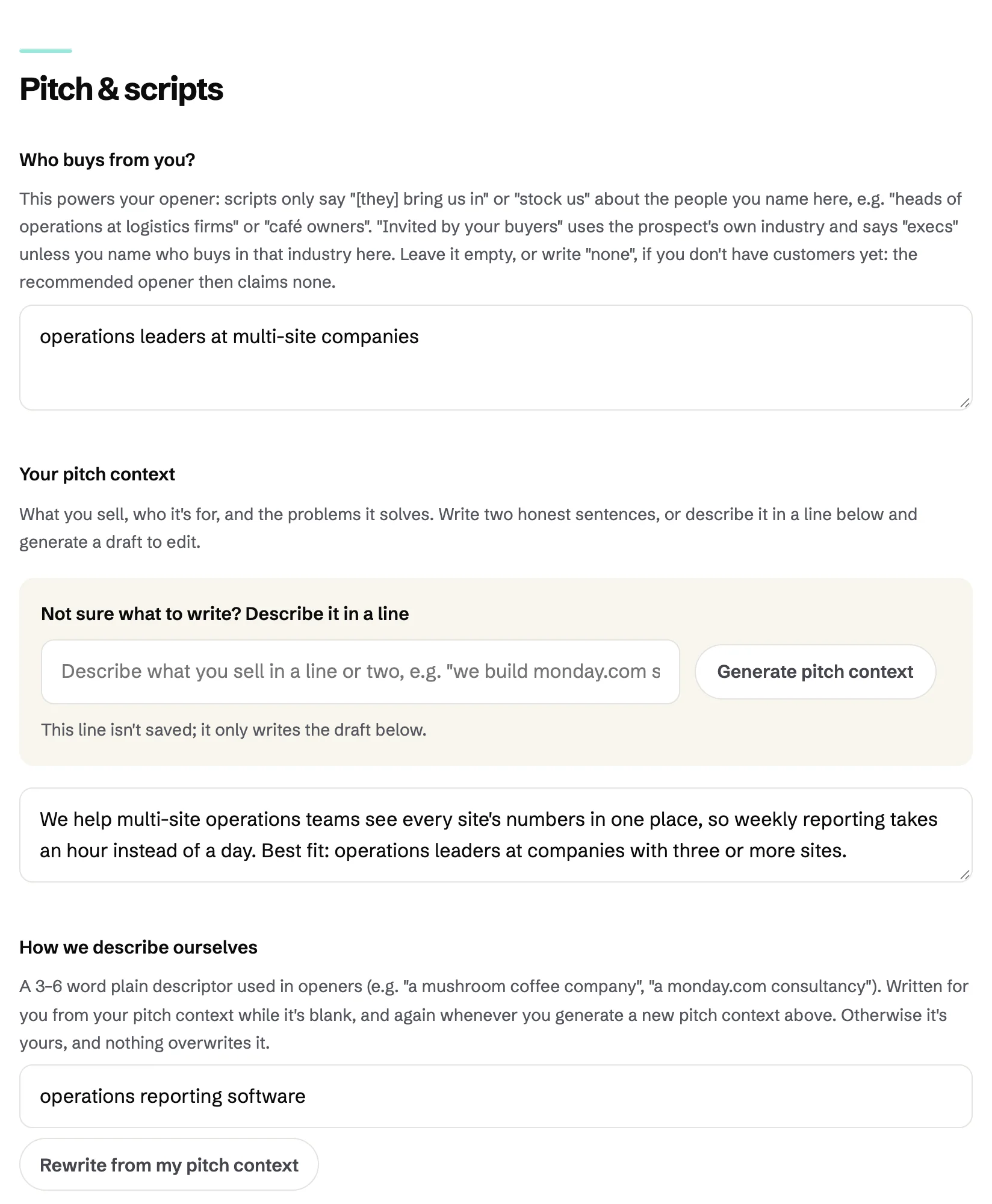
Pitch & scripts: Who buys from you?, Your pitch context and the Generate pitch context helper. Click the picture to see it full size. Step 3: Say who buys from you
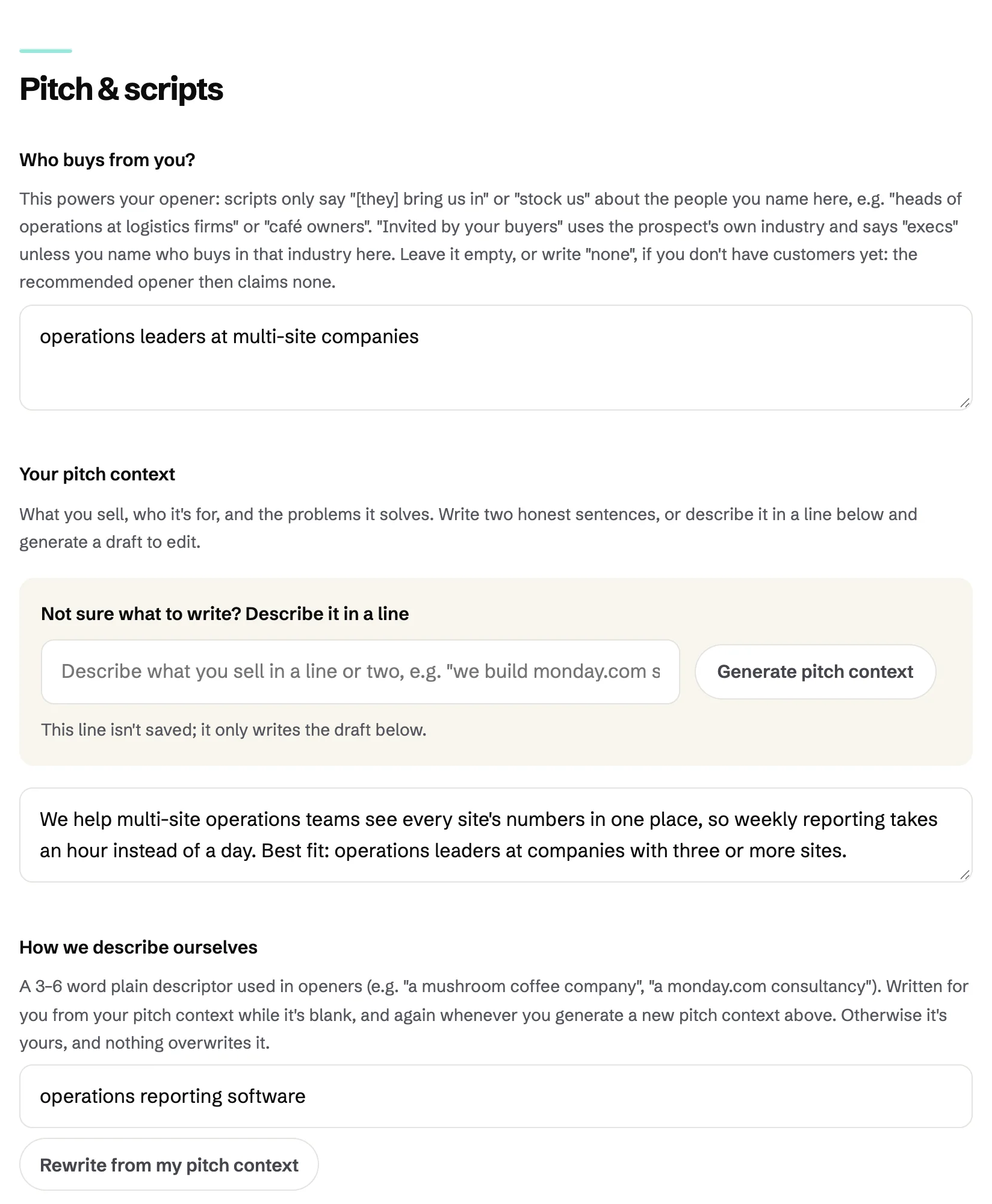
Who buys from you? names your customers, for example "operations leaders at multi-site companies". It decides who PitchWhip treats as a good fit and what your opener can honestly claim. Leave it empty, or write "none", if you have no customers yet.
Sell more than one thing? The New button beside Pitch profile adds another profile, each with its own name, company and pitch. Switch between them here or from the panel.
The same section: who buys from you, and how PitchWhip describes you in one line. Click the picture to see it full size.
Common problems
- The panel says to set up first.
- Your name or your company is empty. Fill both in under Your profile, go back to the profile tab and press Build my script.
- Lots of people come back Not recommended.
- That usually means the pitch context is empty or vague. Say plainly who you help and with what. You can still press Generate anyway on any one person.
- The script makes claims I can't back up.
- Remove them from your pitch context. PitchWhip only argues from what you wrote and what the page shows.
Still stuck? The full guide covers every setting, or write to hello@pitchwhip.com and a person replies within a working day.