Get your first script on a LinkedIn profile
Open a profile, read the brief (Right person, Right now, why now, best angle) and use the script and objections.
Free accounts get 3 scripts a day. Paid plans are not capped this way.
Step 1: Open the panel on someone you plan to call
Open their LinkedIn profile or Sales Navigator lead and click the PitchWhip tab on the right edge. The panel reads the page and builds the brief and the script, usually in ten to fifteen seconds.
The script and the likely objections open in their own cards beside the panel, so you can read them on the call.
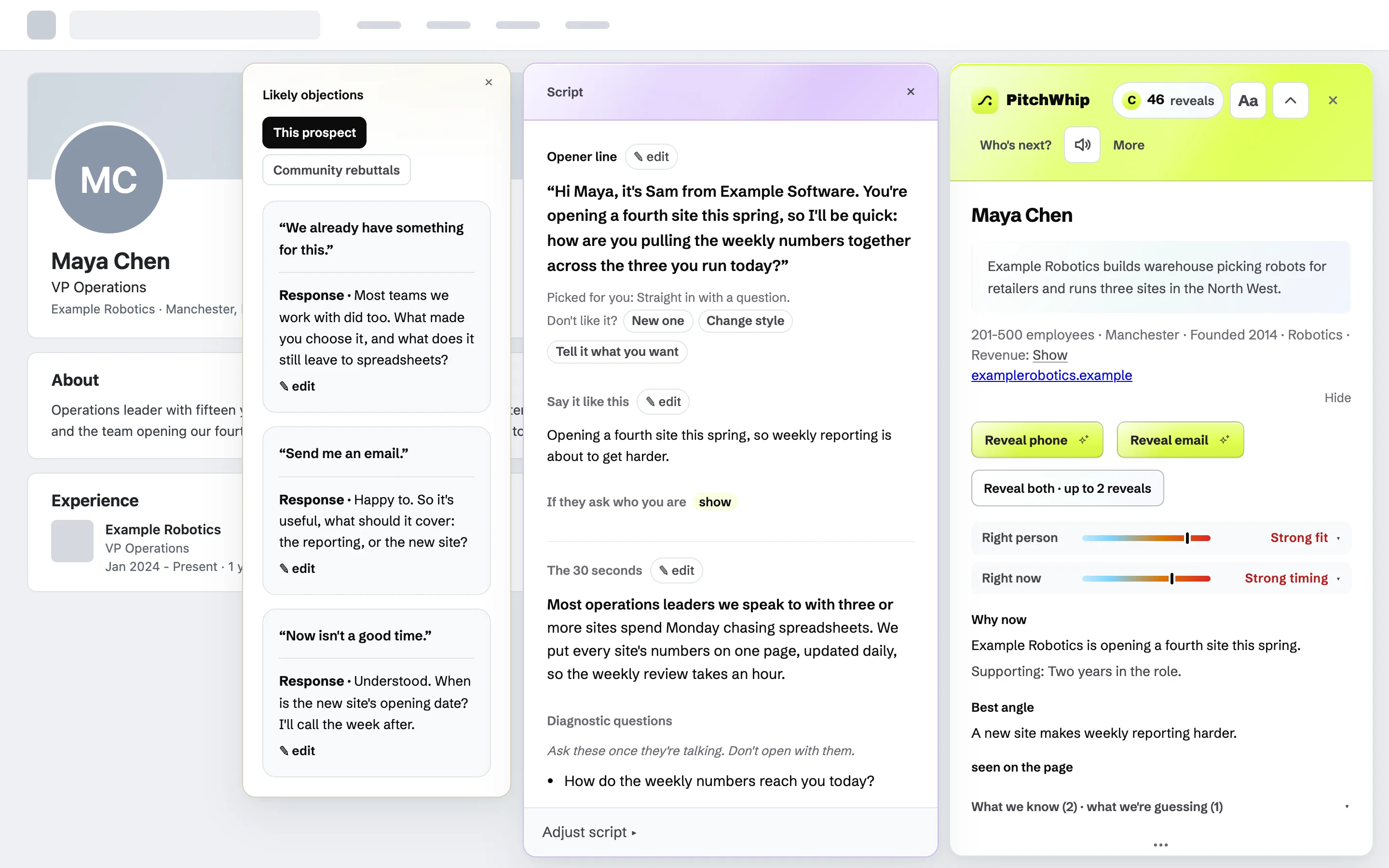
The panel on the right, the script in the middle and the likely objections on the left, beside an invented profile. Click the picture to see it full size. Step 2: Read the brief
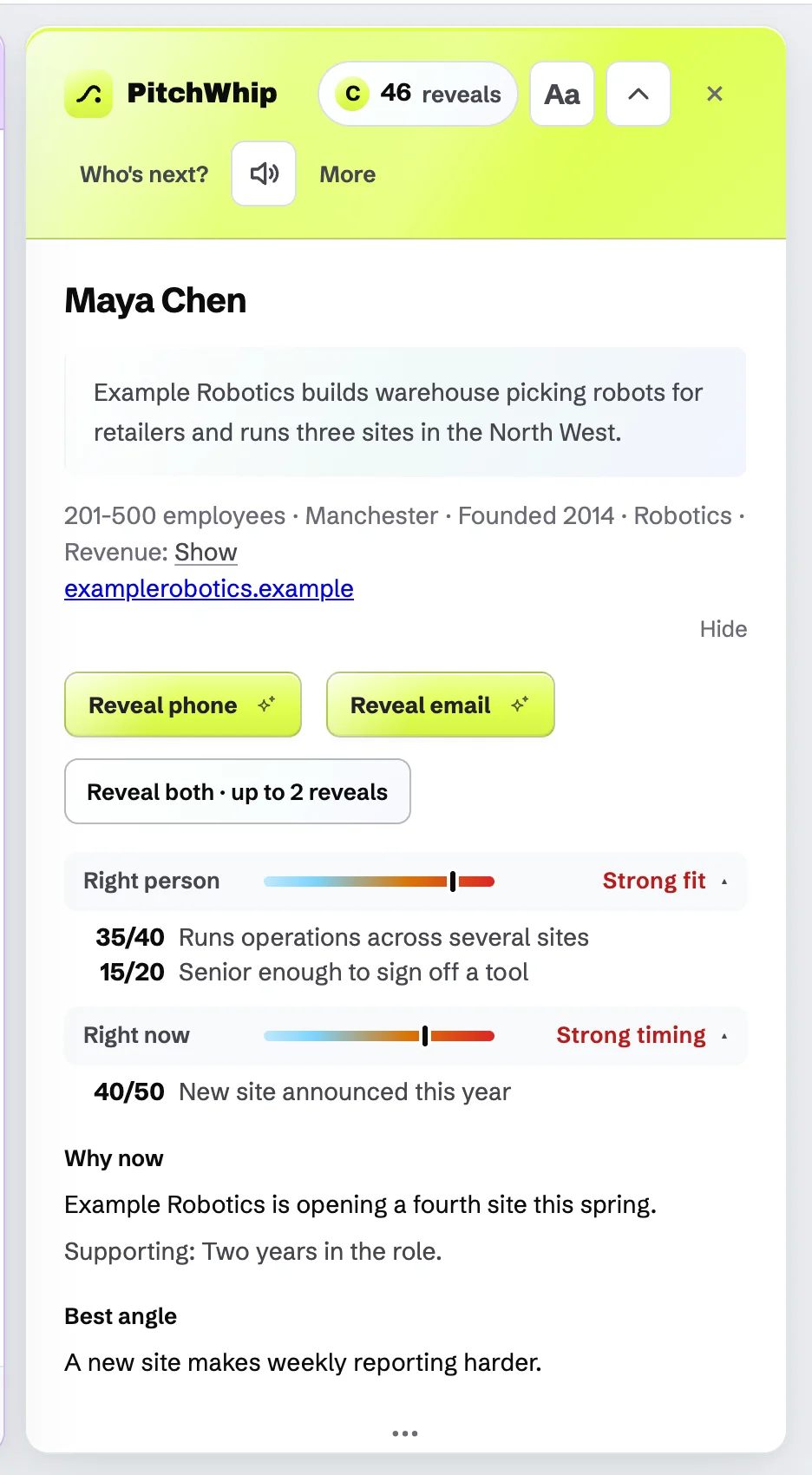
The top of the panel is the brief. Right person is the fit: how well they match what you sell. Right now is the timing: whether there is a real reason to call today. Click either one to see the reasons and the points behind the score.
Why now is the reason to call, Best angle is the one argument the script is built on, and Avoid is the thing most likely to sink the call. What we know and what we're guessing list the evidence.
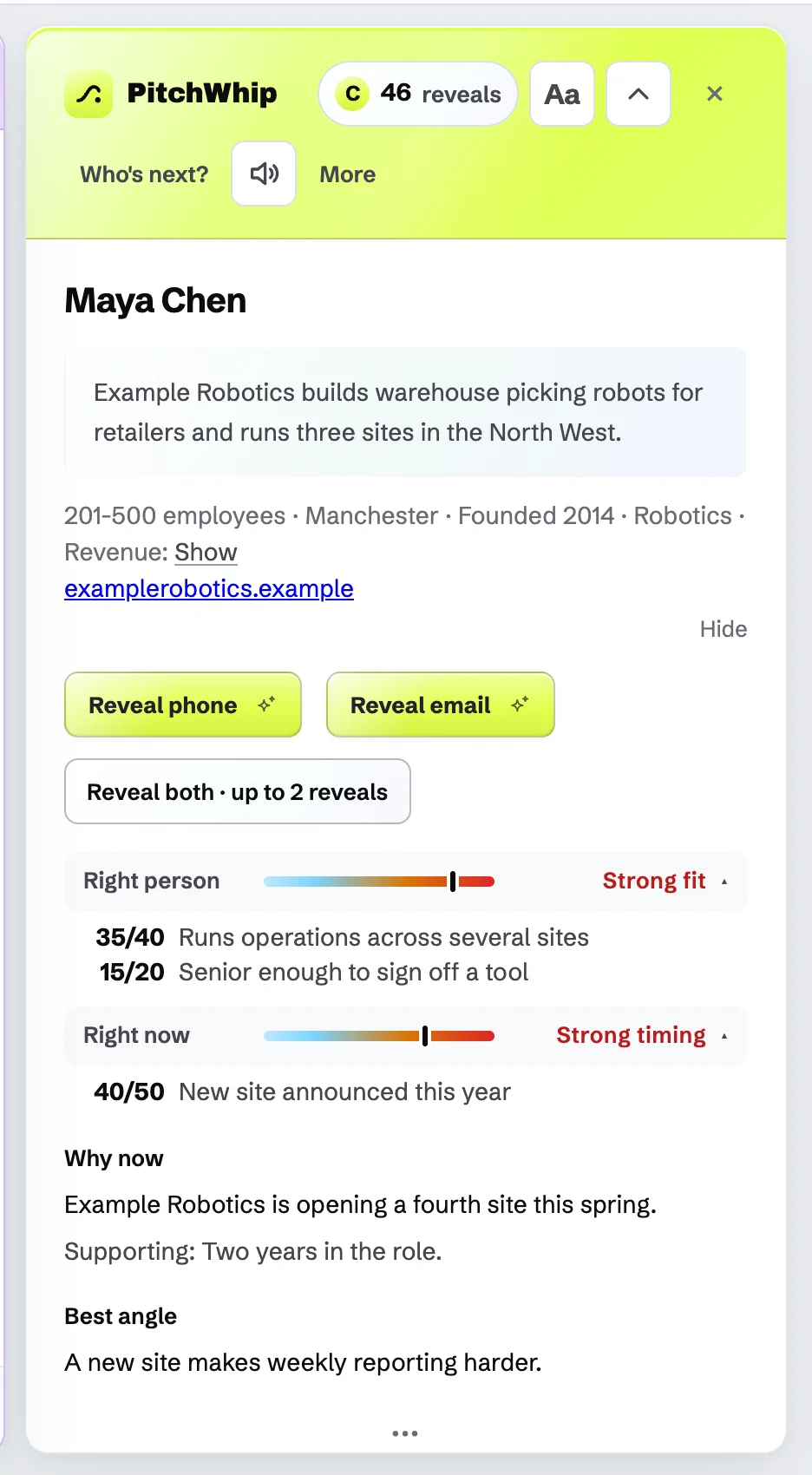
The brief: Right person and Right now opened to show their reasons, then Why now and Best angle. Click the picture to see it full size. Step 3: Use the script and the objections
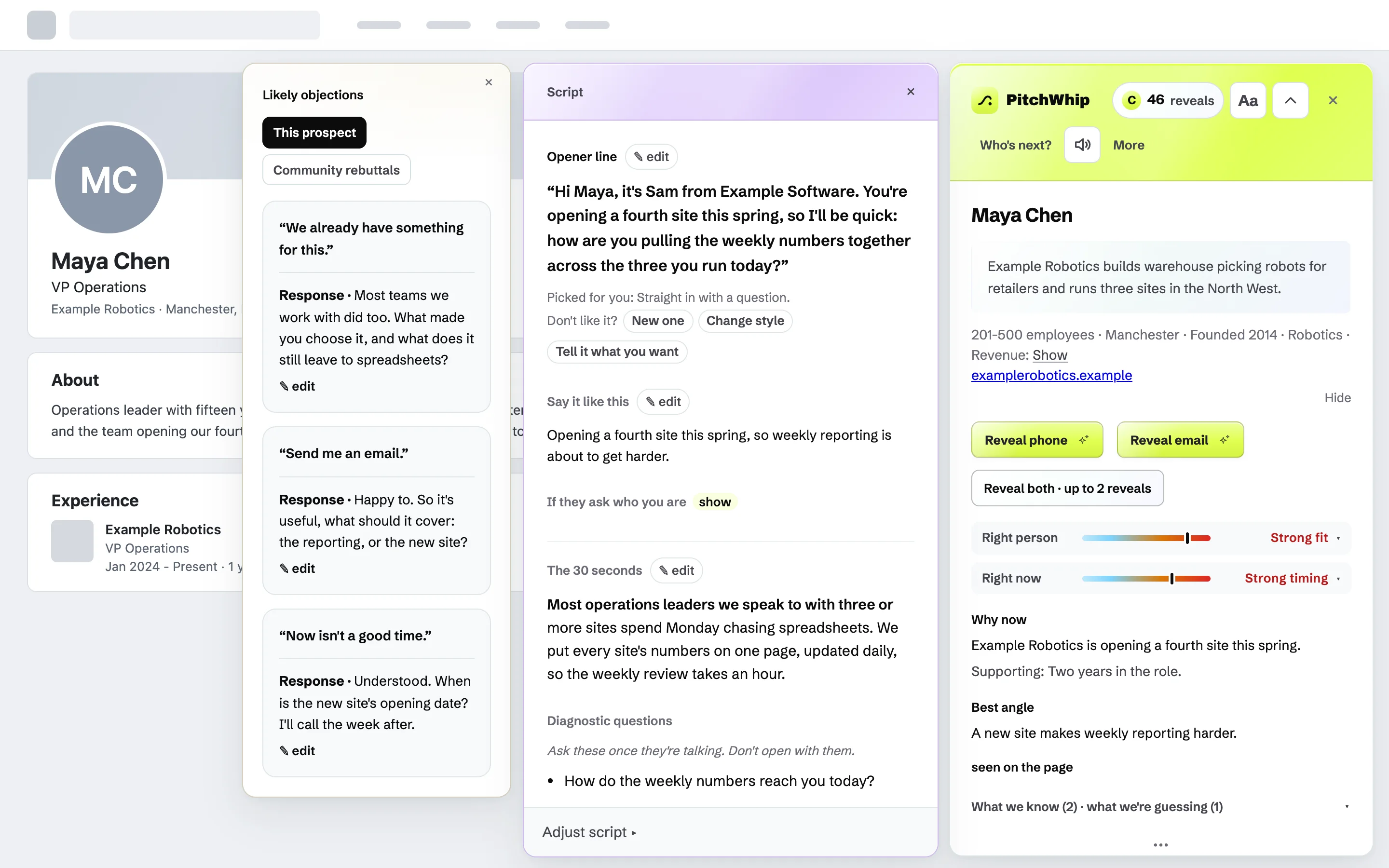
The script runs in call order: the Opener line, Say it like this, If they ask who you are, The 30 seconds, Diagnostic questions (for once they are talking) and the Proof drop. Press edit on any part to rewrite it in place.
Don't like the opener? Press New one, Change style or Tell it what you want. Likely objections shows answers for this prospect; Community rebuttals shows answers other reps found useful.
The Script card and the Likely objections card. Click the picture to see it full size. Step 4: If it says Not recommended
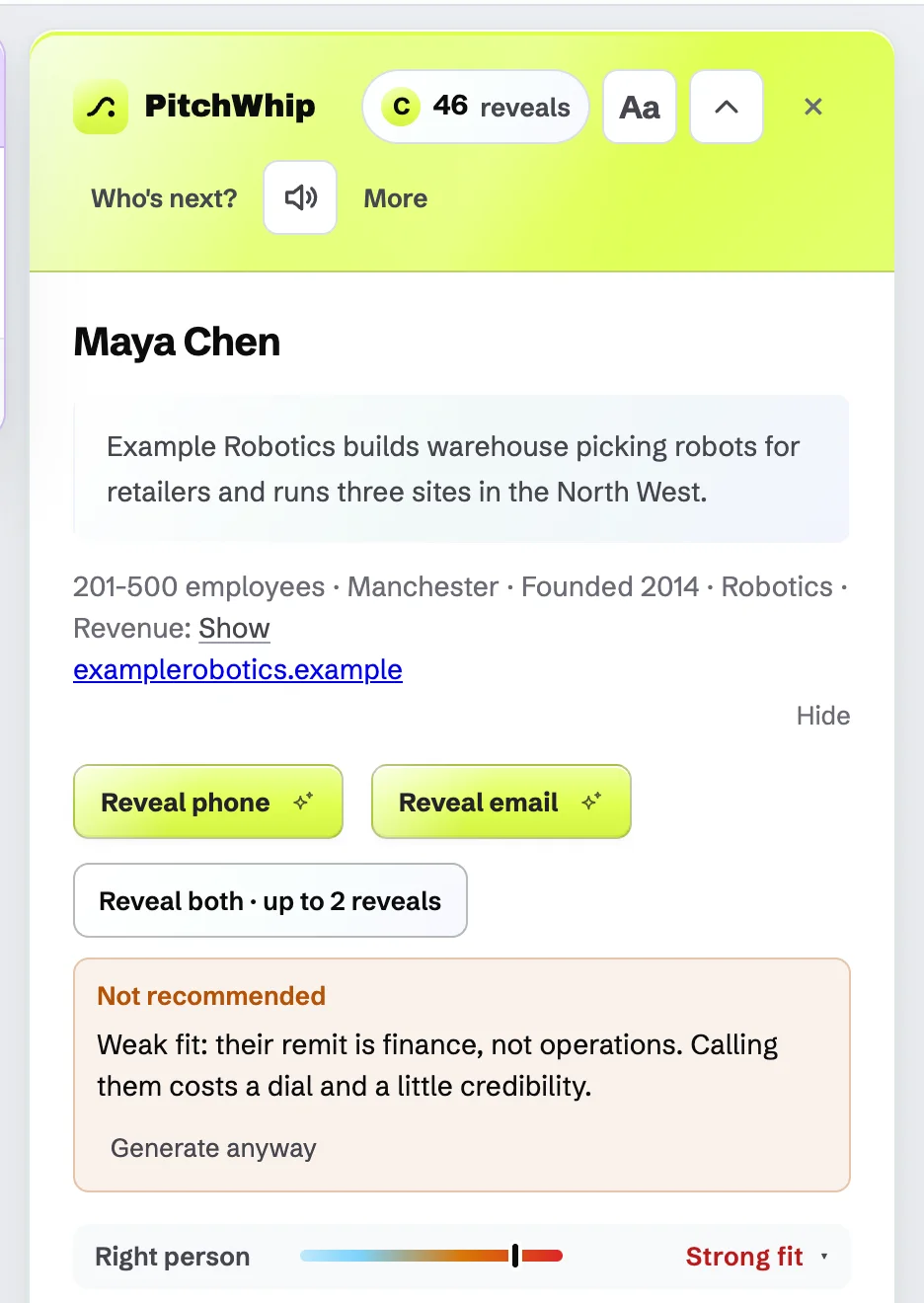
When the fit is poor, PitchWhip says Not recommended and why, and stops there to save you a bad call. Press Generate anyway if you still want the script.
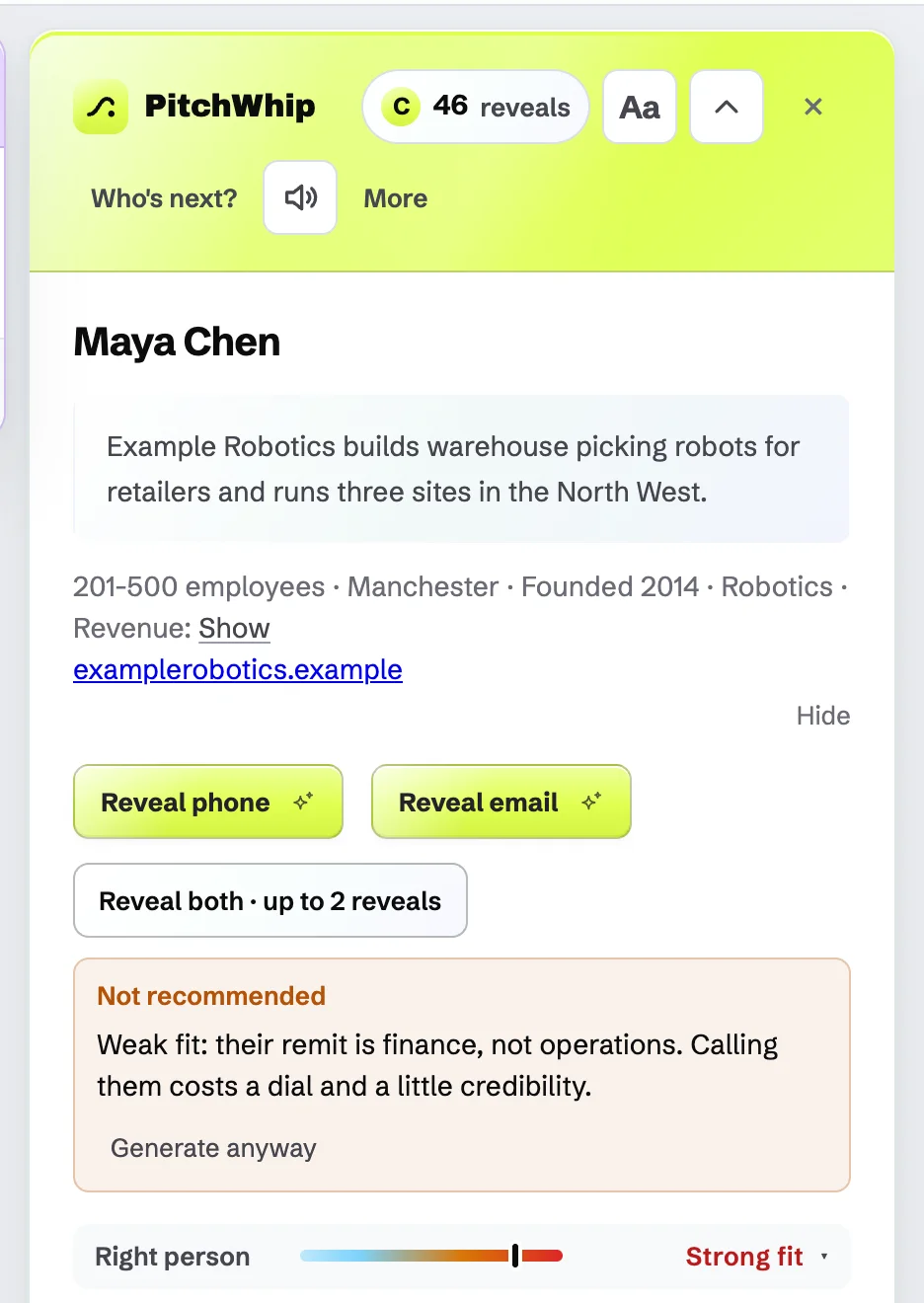
Not recommended, with the reason and Generate anyway. Click the picture to see it full size.
Common problems
- Right now says No compelling trigger.
- That is a complete answer, not an error: nothing on the page gives a reason to call today. Use the best angle, or call later.
- The panel says Company lookup is temporarily unavailable.
- PitchWhip tries once more by itself after a few seconds. If it still fails, refresh the LinkedIn page.
- I hit the daily limit.
- Free accounts get 3 scripts a day, resetting at midnight UK time. Opening a script you already made today does not count again.
Still stuck? The full guide covers every setting, or write to hello@pitchwhip.com and a person replies within a working day.